



10/08/2025
Share This Story, Choose Your Platform!

A Practical Guide to Implementing Microsoft Copilot in Your Organization
Date: October 14, 2025
Author: Dustin Miller
Microsoft Copilot is transforming how organizations work—but unlocking its full potential requires more than just turning it on. This guide walks you through the essential steps to implement Copilot successfully, from leadership alignment to licensing decisions and adoption tracking.
1. Why Should We Implement Microsoft Copilot Strategically?
Implementing Copilot isn’t just a tech rollout—it’s a strategic transformation. Organizations must align Copilot with business goals, identify high-impact use cases, and prepare their data and governance structures.
Summary:
A successful Copilot implementation begins with a clear vision, measurable objectives, and a pilot program focused on real business needs. This ensures meaningful ROI and sets the stage for broader adoption.
Key Highlights:
- Define business challenges and measurable goals.
- Start with focused use cases (e.g., HR resume screening, sales insights).
- Build a strong data and security foundation.
- Establish an AI Center of Excellence to guide adoption.
Resource: SoftwareOne Implementation Guide for Microsoft 365 Copilot [www.softwareone.com]
2. Who Should Lead the Copilot Implementation?
Leadership is critical. A cross-functional team—led by executive sponsors and supported by Copilot champions—should drive the rollout.
Summary:
Empowering a diverse leadership team ensures Copilot is adopted across departments. Champions help build excitement and share best practices, while executive sponsors align AI efforts with strategic goals.
Key Highlights:
- Form an AI Center of Excellence with business and technical leaders.
- Identify and empower Copilot champions.
- Use Microsoft Teams and Viva Engage to foster community learning.
Resource: Microsoft Copilot Success Kit [adoption.m…rosoft.com]
3. What Licensing Options Are Available and When Should We Upgrade?
Understanding Copilot licensing is essential to scale effectively. Organizations must evaluate usage patterns and business needs before upgrading.
Summary:
Copilot is available as an add-on to Microsoft 365 Business and Enterprise plans. Start with Copilot Chat for secure experimentation, then upgrade when full integration is needed.
Key Highlights:
- Copilot Chat is free with most Microsoft 365 plans.
- Full Copilot integration costs $30/user/month.
- Specialized agents and advanced features require additional licensing.
Resource: Microsoft Copilot Licensing Overviewciteturn1search18
4. How Should We Communicate and Document the Rollout?
Clear communication and documentation are vital to drive adoption and reduce confusion.
Summary:
Use Microsoft’s templates, guides, and training kits to communicate the rollout plan. Tailor messaging to different roles and provide ongoing support through internal channels.
Key Highlights:
- Use the Copilot Success Kit for templates and training.
- Host town halls, webinars, and lunch-and-learns.
- Document use cases, prompt libraries, and feedback loops.
Resource: Copilot Success Kit – Microsoft Adoption [adoption.m…rosoft.com]
5. How Do We Track Usage and Measure Success?
Tracking adoption and usage helps justify investment and refine deployment strategies.
Summary:
Microsoft offers dashboards and analytics tools to monitor Copilot usage, adoption trends, and ROI. These insights help optimize training and licensing decisions.
Key Highlights:
- Use the Copilot Dashboard in Viva Insights.
- Monitor app-specific usage and license allocation.
- Track productivity gains and employee sentiment.
Resource: Microsoft 365 Copilot Dashboard Overview [techcommun…rosoft.com]
6. What Are the Best Practices for Scaling Copilot Across the Organization?
Scaling Copilot requires continuous learning, feedback, and adaptation.
Summary:
Start small, learn fast, and scale smart. Use phased rollouts, role-based training, and community engagement to embed Copilot into daily workflows.
Key Highlights:
- Begin with simple tasks (summarizing emails, drafting content).
- Use the ROSE Compass methodology for prompt design.
- Apply the ADKAR change management model (Awareness, Desire, Knowledge, Ability, Reinforcement).
Resource: SoftwareOne Copilot Productivity Loop [www.softwareone.com]
Read More Articles From MaxTrain Technical Training

Selecting the right AI instructors
Resource Article · AI Training Selecting the right AI instructors How MAX Technical Training vets its instructors — and why that process changes everything about your learning experience. There has never been more AI [...]
New ITIL5 Explained for Certified Professionals
The new ITIL builds on everything professionals already value in ITIL, evolving the framework to reflect today’s digital, product-centric, and AI-enabled reality. Existing knowledge, experience, and certifications remain fully relevant as part of this evolution. [...]
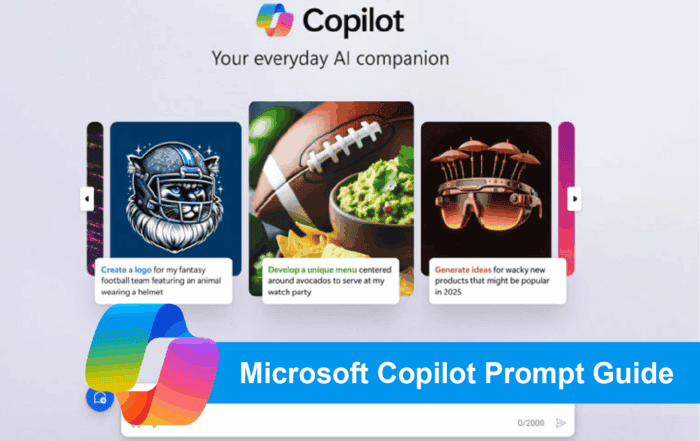
Microsoft Copilot Prompt Guide
Unlocking Productivity with Copilot: A Prompt Library for Microsoft Tools As organizations begin to explore the transformative potential of Microsoft Copilot, one thing becomes clear: the quality of your prompts directly impacts the value you [...]

A Practical Guide to Implementing Microsoft Copilot in Your Organization
A Practical Guide to Implementing Microsoft Copilot in Your Organization Date: October 14, 2025 Author: Dustin Miller Microsoft Copilot is transforming how organizations work—but unlocking its full potential requires more than just turning it on. [...]

The Power of Copilot | Boost Productivity with AI
The Power of Copilot Date: October 8, 2025 Author: Dustin Miller 1. What Can Copilot Actually Do for You? Summary: Many professionals and organizations hear about AI tools like Copilot but aren't sure what they [...]
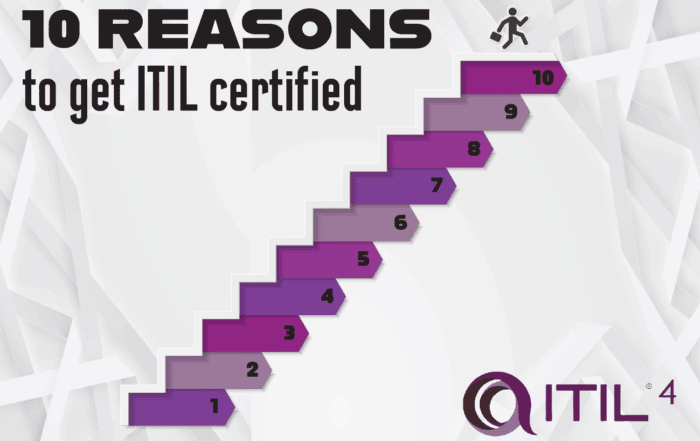
10 Reasons You Should Get ITIL Certified
By Lisa Schwartz, CEO ITSM Academy Published: August 21, 2025 Whether you’re just starting out in IT or you're looking to advance your career and make a bigger impact in your organization, ITIL certification [...]