



05/13/2024
Share This Story, Choose Your Platform!

AI UX 101
At Max Technical Training, we understand the importance of leveraging AI in creative fields. In this blog post, we dive into the dynamic realm of AI UX – the fusion of artificial intelligence and user experience design. Discover how AI is revolutionizing the way designers craft seamless interactions, streamline workflows, and deliver personalized experiences. Join us as we explore the pivotal role of AI in enhancing user experiences across digital platforms. If you want to learn more about how AI can be used in your work, check out our AI courses!
Introduction to AI UX
In recent years, the integration of artificial intelligence (AI) into user experience (UX) design has become increasingly popular. AI UX, also known as the use of AI for UX design, has the potential to enhance user interactions, streamline workflows, and deliver personalized experiences.
AI UX is at the intersection of artificial intelligence and user experience design. Artificial intelligence involves programming machines to think and learn like humans, while UX design is focused on creating products or services that provide seamless experiences for users. AI UX leverages the capabilities of AI technologies to improve various aspects of the user experience.
Incorporating AI into UX design is crucial, as it allows designers to access valuable insights into users’ behaviors and preferences. By using AI algorithms and machine learning techniques, designers can analyze vast data sets in real time with remarkable accuracy and speed. This information empowers designers to create more personalized experiences that align with users’ expectations.
By leveraging AI technologies, designers can gain deep insights into users’ behaviors and preferences, automate repetitive tasks, and create more personalized and efficient designs. In the following sections of this article, we will explore the different ways in which AI UX can assist designers in areas such as research, design, and content creation.
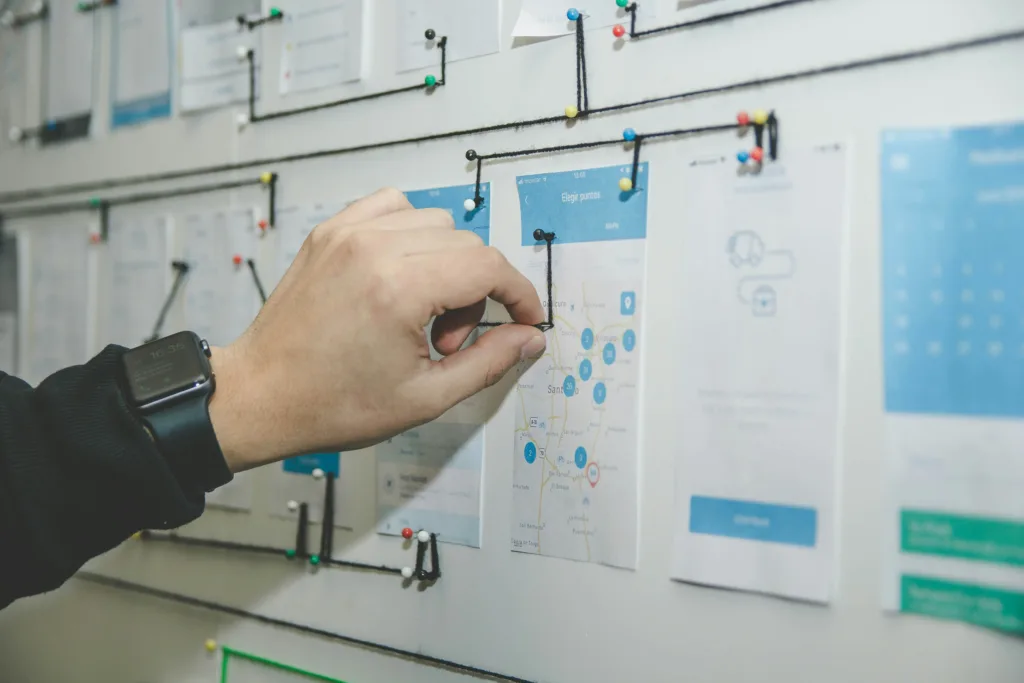
What is User Experience (UX)?
User Experience (UX) is the overall experience a user has when interacting with a product or service. This experience includes all aspects of the user’s interaction, including their understanding of the product and how they navigate through it. The goal of UX designers is to create enjoyable experiences that meet the needs and expectations of users.
One important part of UX is usability. This focuses on making sure users can easily and efficiently accomplish their tasks within a product or service. This involves designing intuitive interfaces, simplifying complex processes, and reducing cognitive load.
UX also considers other factors like aesthetics, accessibility, and emotional engagement to create a complete experience for users. AI has had a huge impact on UX design by improving various aspects of user experience.

Why AI UX for Design Is Important
The emergence of AI in the field of UX design has revolutionized the way designers approach user experience. Here are some ways in which AI can improve UX design.
Efficiently Process Vast User Data
One key reason why AI is essential for UX design is its capability to process immense amounts of user data quickly and accurately. Traditional methods of gathering user feedback and conducting usability tests can be time-consuming and limited in scope. However, with AI-powered analytics tools, designers can effortlessly collect and analyze massive datasets encompassing user behavior patterns, preferences, and needs. This wealth of information empowers designers to make informed decisions based on concrete evidence rather than relying solely on intuition or subjective opinions.
Enhances the Accuracy of Personas Development
Moreover, AI enhances the accuracy of personas development by leveraging machine learning algorithms. AI can identify patterns that human designers might overlook by analyzing vast troves of data from different sources, such as social media platforms or customer databases. This enables a more comprehensive understanding of target users’ behavior, demographics, interests, and pain points. Consequently, designers can create more precise personas that accurately reflect their users’ needs and expectations.
Predict User Behavior
AI also plays a crucial role in predicting user behavior by offering personalized recommendations based on individual preferences. By analyzing historical usage data generated by users themselves or other similar individuals within a specific demographic group, intelligent algorithms can anticipate their future actions accurately. For instance, e-commerce platforms leverage this capability to offer personalized product recommendations tailored to each customer’s tastes and interests. This level of personalization not only enhances the overall user experience but also increases customer engagement and satisfaction.
Integrating AI into UX design brings numerous advantages that significantly impact the overall quality of user experience. Its ability to process large datasets efficiently allows designers to make evidence-based decisions while creating more accurate user personas. Additionally, AI’s predictive capabilities enable personalized recommendations, thereby enhancing user engagement and satisfaction. As AI continues to evolve, its role in UX design will undoubtedly become even more prominent, leading to more innovative and tailored user experiences across various digital platforms.

How can AI UX help Designers?
The integration of AI into UX design has brought about a revolution in the way designers approach their work, offering them numerous opportunities and benefits. AI UX has become an indispensable tool for UX designers, enabling them to streamline their processes, improve user interactions, and create more intuitive and personalized experiences.
Automating Repetitive Tasks
One of the most significant ways in which AI UX can help designers is by automating repetitive tasks. Designers often engage in monotonous activities such as resizing images, organizing files, or testing multiple variations of a design element.
With the power of AI, these time-consuming tasks can be automated, freeing up valuable time for designers to focus on more strategic and creative aspects of their work. For instance, AI algorithms can automatically generate multiple design options based on predefined parameters or learn from user preferences to suggest personalized layouts or color schemes.
This saves time and helps designers explore more possibilities and iterate faster.
Help With Decision Making
Furthermore, AI-powered analytics tools play a crucial role in the decision-making process during the design phase.
By leveraging machine learning algorithms to analyze vast amounts of data collected from user interactions and feedback, designers gain valuable insights into user behavior patterns that would have been difficult to identify manually. These insights can inform the creation of more effective designs by highlighting areas where improvements are needed or uncovering hidden pain points experienced by users.
Designers can then make data-driven decisions based on user research rather than relying solely on subjective opinions or assumptions. AI UX has immense potential for UX designers to maximize their efficiency and deliver exceptional user experiences.
The automation of repetitive tasks enables designers to focus on creativity while leveraging AI-powered analytics tools empowers them with valuable insights into user behavior patterns. By embracing AI for UX design practices in their workflow, designers can create highly tailored experiences that resonate with users on a deeper level while significantly reducing manual efforts.

The Best AI UX Tools
Several AI tools can greatly assist UX designers in various aspects of their work. Some of the best ones include:
Adobe Sensei: Adobe’s AI platform offers features like auto-tagging of images, content-aware fill, and automated font matching, streamlining design workflows.
UXPin: This tool utilizes machine learning algorithms to analyze design prototypes and provide real-time feedback on usability and user experience.
Figma: Figma’s Auto Layout feature uses AI to automatically adjust layouts and spacing based on design changes, saving time and ensuring consistency.
Sketch2Code: Developed by Microsoft, this tool converts hand-drawn sketches into HTML code using AI, enabling rapid prototyping and iteration.
InVision’s Studio: InVision leverages AI to facilitate design collaboration, offering features like automatic resizing and layout suggestions based on design intent.
Mockplus iDoc: This tool uses AI to generate specifications and assets from design prototypes, simplifying the handoff process between designers and developers.
Loop11: Loop11 employs AI to analyze user behavior and provide insights into website usability, helping designers make data-driven decisions to improve UX.
These tools can enhance efficiency, accuracy, and creativity in UX design, ultimately leading to better user experiences.
Conclusion: AI UX 101
As we conclude our exploration of AI UX, it’s clear that artificial intelligence is reshaping the landscape of user experience design. At Max Technical Training, we’re committed to equipping you with the knowledge and skills needed to harness the power of AI in your own work. Whether you’re a seasoned designer looking to stay ahead of the curve or a newcomer eager to dive into the world of AI UX, our courses provide the perfect opportunity to learn and grow. Join us today and unlock the potential of AI to revolutionize your approach to design. Take the first step towards mastering AI UX with Max Technical Training.
Read More Articles From MaxTrain Technical Training

Selecting the right AI instructors
Resource Article · AI Training Selecting the right AI instructors How MAX Technical Training vets its instructors — and why that process changes everything about your learning experience. There has never been more AI [...]

New ITIL5 Explained for Certified Professionals
The new ITIL builds on everything professionals already value in ITIL, evolving the framework to reflect today’s digital, product-centric, and AI-enabled reality. Existing knowledge, experience, and certifications remain fully relevant as part of this evolution. [...]
Microsoft Copilot Prompt Guide
Unlocking Productivity with Copilot: A Prompt Library for Microsoft Tools As organizations begin to explore the transformative potential of Microsoft Copilot, one thing becomes clear: the quality of your prompts directly impacts the value you [...]

A Practical Guide to Implementing Microsoft Copilot in Your Organization
A Practical Guide to Implementing Microsoft Copilot in Your Organization Date: October 14, 2025 Author: Dustin Miller Microsoft Copilot is transforming how organizations work—but unlocking its full potential requires more than just turning it on. [...]

The Power of Copilot | Boost Productivity with AI
The Power of Copilot Date: October 8, 2025 Author: Dustin Miller 1. What Can Copilot Actually Do for You? Summary: Many professionals and organizations hear about AI tools like Copilot but aren't sure what they [...]
10 Reasons You Should Get ITIL Certified
By Lisa Schwartz, CEO ITSM Academy Published: August 21, 2025 Whether you’re just starting out in IT or you're looking to advance your career and make a bigger impact in your organization, ITIL certification [...]