



05/06/2024
Share This Story, Choose Your Platform!

How to Print the Current Directory in Python
In Python programming, understanding how to get the current directory, also known as the Python current directory, is essential for various tasks. Whether you’re managing files, organizing projects, or debugging code, knowing your current directory is crucial.
At Max Technical Training, we know that as one of the most popular coding languages, Python is essential for anyone looking to excel in today’s technology-driven world. As the premier destination for comprehensive Python education, we offer top-notch training courses designed to cater to learners of all skill levels. Whether you’re just starting your Python journey or seeking to enhance your existing skills, Max Technical Training is your go-to resource for unlocking the full potential of Python programming.
In this guide, we’ll delve into the Python current directory, how to get it, and how to print it using Python.
You might also be interested in How To Import From Parent Directory Python

What is the Python Current Directory?
The Python current directory denotes the precise directory within which your Python script is presently executing. Think of it as the starting point or the base location from which your script operates. It’s the directory Python considers as its “current” context, which is essential for resolving relative paths and accessing files and directories associated with your script.
How to Get the Current Directory in Python
Python offers a convenient way to retrieve the current directory using the built-in OS module. Within this module lies the os.getcwd() function, which stands ready to provide you with the current working directory. By calling this function, Python will give you the absolute path of the directory in which your script is running.
To demonstrate, consider the following code:
python
current_directory = os.getcwd()
In this example, we first import the os module to gain access to its functionality. Then, we employ the os.getcwd() function to obtain the current directory and store it in a variable named current_directory.
Find the location of the file you are executing
We achieve this by utilizing the special __file__ variable in conjunction with Python’s built-in library for handling filesystem paths, pathlib. Here’s an example:
python
import pathlib
# Retrieve the directory of the currently executing script
script_directory = pathlib.Path(__file__).parent.resolve()
# Print the directory path
print(script_directory)
In this code snippet, the __file__ variable holds the absolute path of the script currently being executed. For instance, if our script is located at /home/user/scripts/runner.py, __file__ would contain this path. We then create a Path object using this value and access its parent attribute, which corresponds to the directory containing the script. By applying the resolve() method, we ensure that the directory path is converted to an absolute path.
It’s worth noting that the resolve() method is primarily necessary for Python versions prior to 3.9. In earlier versions, __file__ could return either an absolute or relative path depending on the script’s invocation method. However, starting from Python 3.9, __file__ consistently provides an absolute path.

How to Print Current Directory in Python
Printing the current directory in Python is straightforward once you’ve obtained it using os.getcwd(). You can display the print() function with the variable holding the current directory path on the console by simply using the print () function. This simple yet powerful method allows you to confirm the current directory visually and facilitates debugging, file management, and script execution tasks within your Python projects.
Python Print Current Directory Example:
Imagine you’re developing a Python script that needs to manipulate files located in the same directory as the script itself.
In this scenario, printing the current directory can be immensely helpful for debugging purposes or ensuring that your script is accessing the correct files.
Here’s an example task where printing the current directory in Python would be beneficial:
Let’s say you’re working on a script named data_processing.py, and alongside this script, you have several data files (data1.csv, data2.csv, etc.) stored in the same directory. Your data_processing.py script is tasked with reading these data files, processing them, and generating a report based on the processed data.
During the development of data_processing.py, you encounter an issue where the script cannot locate the data files, resulting in errors. To troubleshoot this issue, you decide to print the current directory within your script to verify that it’s indeed accessing the correct directory containing the data files.
You can achieve this by adding the following code snippet to your data_processing.py script:
# Print the current directory
current_directory = os.getcwd()
print(“Current directory:”, current_directory)
# Proceed with file processing logic…
By printing the current directory, you’ll obtain the absolute path of the directory in which data_processing.py is executing. This allows you to confirm whether the script is operating in the expected directory containing the data files. If the printed directory path matches the location of your data files, you can proceed with confidence, knowing that your script is accessing the correct files. On the other hand, if the printed directory path is unexpected, it signals a potential issue with the script’s file-handling logic, prompting further investigation and debugging.

Learn More about Python with Max Technical Training Courses!
Are you eager to delve deeper into the realm of Python programming and enhance your skills? Max Technical offers a diverse range of comprehensive training courses designed to cater to various skill levels and learning objectives.
Python For Everyone / Getting Started With Python And Scripting Basics For Non-Developers
Our Python For Everyone course is tailored for individuals embarking on their programming journey, this course provides hands-on training in Python essentials. Participants are guided through foundational aspects of script writing, file management, and utilizing Python libraries, laying a robust foundation for future exploration.
Introduction To Python Programming
Our Introduction To Python programming course is perfect whether you’re a novice programmer or possess experience in other languages, and serves as an invaluable stepping stone towards Python proficiency. Encompassing basic to advanced topics, including web development and automation, it equips you with practical skills applicable across diverse tech domains.
Mastering Python Essentials / Practical Python Boot Camp
For those seeking practical Python prowess, our Python Boot Camp offers an immersive learning experience. Focused on automation, web development, and advanced applications like data science and AI, it prepares you for the multifaceted demands of today’s technology-centric landscape.
Check out 10 Python Challenges Everyone Should Try

Conclusion: Python Print Current Directory
As your trusted partner in tech education, Max Technical Training is committed to empowering individuals with the knowledge and skills needed to excel in Python coding. Through our comprehensive software development courses, we provide a pathway for learners of all backgrounds to master Python programming and unlock boundless opportunities in the tech industry.
Now that you’ve gained insights into the significance of understanding the Python current directory and learned how to retrieve and print it using Python effectively, it’s time to take your Python skills to the next level. Whether you’re a beginner eager to embark on your programming journey or an experienced coder seeking to enhance your expertise, Max Technical Training is here to support you every step of the way.
Don’t miss out on this opportunity to elevate your Python skills and advance your career. Enroll in Max Technical Training today and unlock the full potential of Python coding!
Read More Articles From MaxTrain Technical Training

Selecting the right AI instructors
Resource Article · AI Training Selecting the right AI instructors How MAX Technical Training vets its instructors — and why that process changes everything about your learning experience. There has never been more AI [...]
New ITIL5 Explained for Certified Professionals
The new ITIL builds on everything professionals already value in ITIL, evolving the framework to reflect today’s digital, product-centric, and AI-enabled reality. Existing knowledge, experience, and certifications remain fully relevant as part of this evolution. [...]
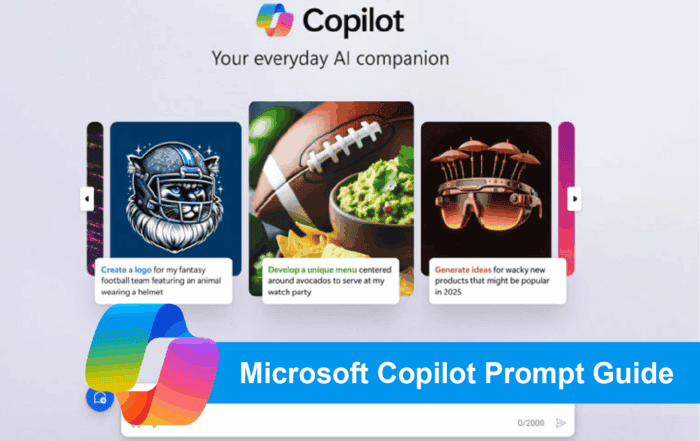
Microsoft Copilot Prompt Guide
Unlocking Productivity with Copilot: A Prompt Library for Microsoft Tools As organizations begin to explore the transformative potential of Microsoft Copilot, one thing becomes clear: the quality of your prompts directly impacts the value you [...]

A Practical Guide to Implementing Microsoft Copilot in Your Organization
A Practical Guide to Implementing Microsoft Copilot in Your Organization Date: October 14, 2025 Author: Dustin Miller Microsoft Copilot is transforming how organizations work—but unlocking its full potential requires more than just turning it on. [...]

The Power of Copilot | Boost Productivity with AI
The Power of Copilot Date: October 8, 2025 Author: Dustin Miller 1. What Can Copilot Actually Do for You? Summary: Many professionals and organizations hear about AI tools like Copilot but aren't sure what they [...]
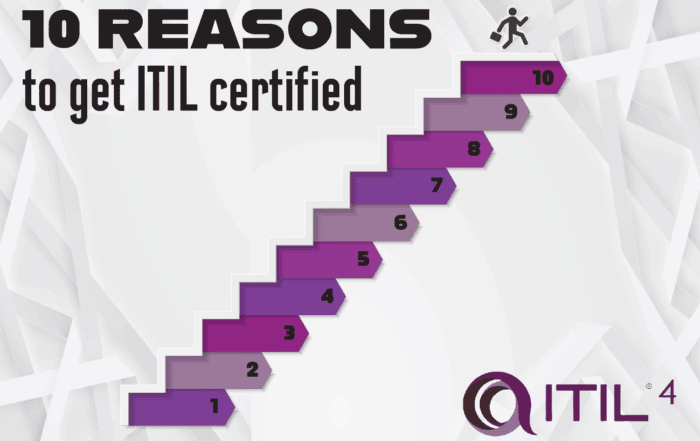
10 Reasons You Should Get ITIL Certified
By Lisa Schwartz, CEO ITSM Academy Published: August 21, 2025 Whether you’re just starting out in IT or you're looking to advance your career and make a bigger impact in your organization, ITIL certification [...]