



03/04/2024
Share This Story, Choose Your Platform!

How To Import From Parent Directory Python
Python, a versatile and powerful programming language, allows developers to efficiently organize their code by dividing it into modules. Importing modules in Python is a fundamental aspect of building complex applications as it enables the reuse of code and facilitates better organization. By importing modules, developers can access functions, classes, and variables defined in separate files within the same project or from external libraries.
Importing Modules in Python
Importing modules in Python involves bringing functionality from one module into another so you can use it in your current script or program. This process simplifies code management by breaking down large programs into smaller, more manageable components.
Python’s import system is flexible and supports various ways to import modules based on your project requirements. Understanding how to import modules correctly is essential for writing modular and maintainable code.
Parent Directories in File Systems
In file systems, directories or folders are organized hierarchically, with a parent directory containing one or more subdirectories. The concept of parent directories refers to the directory that contains another directory (subdirectory).
When working with Python projects structured with multiple directories, understanding the concept of parent directories becomes crucial for managing module imports effectively. Referencing files or modules located in parent directories requires specific techniques to navigate through the file system hierarchy while maintaining code readability and structure.
Using sys.path.append()
When working with Python, the sys module plays a crucial role in system-specific parameters and functions. One of the functions provided by the sys module is sys.path.append(), which allows you to dynamically modify the list of directories that Python searches for modules. By appending a directory to this list, you can effectively import modules from a parent directory in your project structure.
Step-by-step Guide:
- First, import the sys module in your Python script using import sys.
- Determine the absolute path of the parent directory you want to import from.
- Use sys.path.append(‘absolute_path’), replacing ‘absolute_path’ with the path of the parent directory.
- After appending the parent directory’s path, you can directly import modules from that directory using regular import statements.
Structuring Your Project for Relative Imports
In Python, relative imports offer a powerful way to organize your project structure by specifying module imports relative to the current location in the package hierarchy. This approach can enhance code readability and maintainability by providing clear dependencies within your project.
Tips for Effective Structure:
- Arrange your project into packages and subpackages based on functionality or modules’ relationships.
- Include an empty file named “__init__.py” in each package and subpackage folder to indicate that it is a Python package.
- Utilize relative import statements such as from .module_name import function_name, where ‘.’ represents the current package or module’s location.
Potential Pitfalls of Importing from Parent Directories
Scope and Namespace Conflicts
When importing modules from parent directories in Python, one common issue that arises is scope and namespace conflicts. This occurs when modules with the same name exist in both the parent directory and the current directory, leading to ambiguity in which module is being referenced. In such cases, Python may import the wrong module or raise errors due to conflicting definitions.
To mitigate this risk, it is essential to have a clear understanding of your project’s file structure and naming conventions. Adopting unique and descriptive names for modules can help prevent scope conflicts and maintain code clarity.
Dependency Management Challenges
Importing modules from parent directories can introduce challenges in managing dependencies within your Python project. When modules are scattered across different directories, tracking dependencies and ensuring all required packages are installed can become cumbersome.
It is crucial to document dependencies accurately and keep them updated to avoid runtime errors or unexpected behavior due to missing packages. Utilizing virtual environments can aid in organizing dependencies for specific projects and isolating them from system-wide installations, promoting a cleaner and more manageable development environment.
Strategies for Smooth Code Maintenance
Clean Code Practices for Efficient Imports
To maintain clean and efficient code while importing from parent directories, adhere to best practices such as organizing imports at the beginning of each module, using absolute imports when possible, and avoiding circular dependencies between modules. Additionally, consider restructuring your project directory hierarchy if importing from parent directories leads to convoluted paths or excessive nesting levels. By keeping imports concise, well-structured, and logically grouped, you can enhance code readability and make maintenance tasks more straightforward in the long run.
Modularization for Improved Scalability
Aim for modularization by breaking down your project into smaller components with clear responsibilities. This approach not only facilitates better organization but also reduces reliance on parent directory imports by promoting reusable code snippets within distinct modules.
Implementing modular design principles allows for easier testing, debugging, and scalability of your Python project while minimizing potential issues associated with importing from higher-level directories. Embrace a modular mindset when crafting your codebase to foster flexibility, extensibility, and robustness throughout the development lifecycle.
Virtual Environments and Package Management Tools
In the realm of Python development, virtual environments play a crucial role in managing project dependencies and isolating them from the system-wide Python interpreter. Tools like pipenv and poetry provide a streamlined way to create and manage virtual environments, ensuring that each project can have its own set of dependencies without conflicting with other projects. Virtual environments offer several benefits, such as maintaining a clean and organized dependency tree, making it easier to reproduce the environment on different systems, and avoiding version conflicts that often arise when multiple projects require different versions of the same package.
To set up a virtual environment for your Python project using pipenv or poetry, you first need to install the respective tool on your system. Once installed, navigate to your project directory using the command line interface and run the tool’s command to create a new virtual environment.
This will generate a dedicated environment folder within your project directory where all dependencies will be installed. Activating the virtual environment will ensure that any packages installed or modified will only affect that specific project, keeping your global Python environment untouched.
Custom Import Mechanisms Using importlib
The importlib module in Python provides developers with powerful tools to customize how modules are imported and managed within their projects. Understanding importlib is essential for building custom import mechanisms tailored to more complex project structures where standard importing methods may fall short.
By leveraging importlib’s APIs, developers can dynamically load modules at runtime, control import behavior based on certain conditions, and even create their own custom loaders for specialized requirements. To implement custom import mechanisms using importlib, you first need a solid grasp of how module importing works in Python at a fundamental level.
By delving into concepts like module specifiers, loaders, finders, and hooks provided by importlib, you can craft sophisticated strategies for dynamically importing modules from various locations or sources. This level of flexibility enables developers to design modular architectures that seamlessly adapt to changing requirements without sacrificing readability or maintainability.
Conclusion: How To Import From Parent Directory Python
In conclusion, mastering the art of importing modules from parent directories in Python is crucial for building organized, modular, and maintainable code. As we’ve explored various techniques and potential challenges associated with this task, it becomes evident that continuous learning is key to staying ahead in the dynamic field of Python development.
To deepen your understanding of Python coding, especially in the context of module imports and directory structures, consider enrolling in Max Technical Training courses. Max Technical Training offers comprehensive Python courses that cover not only the fundamentals of the language but also advanced topics like importing modules effectively and managing project structures.
By taking Max Technical Training courses, you can gain hands-on experience, practical insights, and real-world applications of Python coding. Stay ahead of the curve, equip yourself with in-demand skills, and enhance your career prospects in the tech industry. Don’t miss out on the opportunity to elevate your Python coding expertise. Enroll in Max Technical Training courses today and embark on a journey of continuous improvement and success in the world of Python development. Your future as a proficient Python developer starts here!
Read More Articles From MaxTrain Technical Training

Selecting the right AI instructors
Resource Article · AI Training Selecting the right AI instructors How MAX Technical Training vets its instructors — and why that process changes everything about your learning experience. There has never been more AI [...]
New ITIL5 Explained for Certified Professionals
The new ITIL builds on everything professionals already value in ITIL, evolving the framework to reflect today’s digital, product-centric, and AI-enabled reality. Existing knowledge, experience, and certifications remain fully relevant as part of this evolution. [...]
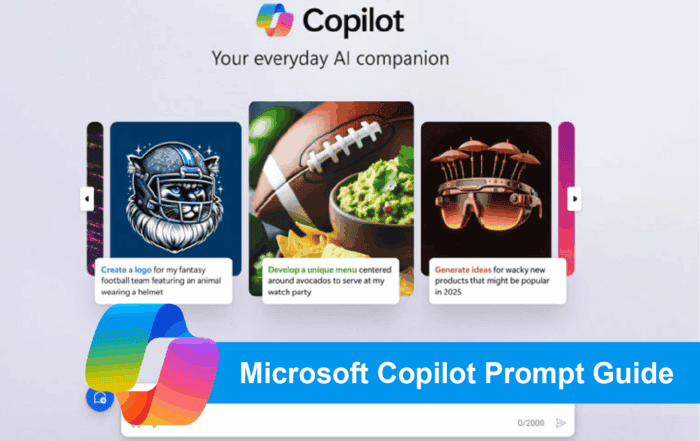
Microsoft Copilot Prompt Guide
Unlocking Productivity with Copilot: A Prompt Library for Microsoft Tools As organizations begin to explore the transformative potential of Microsoft Copilot, one thing becomes clear: the quality of your prompts directly impacts the value you [...]
A Practical Guide to Implementing Microsoft Copilot in Your Organization
A Practical Guide to Implementing Microsoft Copilot in Your Organization Date: October 14, 2025 Author: Dustin Miller Microsoft Copilot is transforming how organizations work—but unlocking its full potential requires more than just turning it on. [...]

The Power of Copilot | Boost Productivity with AI
The Power of Copilot Date: October 8, 2025 Author: Dustin Miller 1. What Can Copilot Actually Do for You? Summary: Many professionals and organizations hear about AI tools like Copilot but aren't sure what they [...]
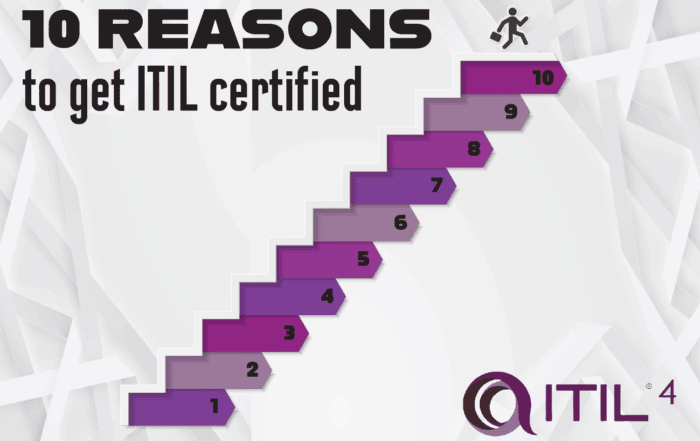
10 Reasons You Should Get ITIL Certified
By Lisa Schwartz, CEO ITSM Academy Published: August 21, 2025 Whether you’re just starting out in IT or you're looking to advance your career and make a bigger impact in your organization, ITIL certification [...]