



02/19/2024
Share This Story, Choose Your Platform!

When Was Excel Created?
Microsoft Excel is a powerful spreadsheet software that has become an essential tool in the digital age. It offers a wide range of functionalities that cater to both personal and professional needs, including analyzing financial data, conducting complex calculations, and creating visually appealing charts and graphs. Its widespread adoption in offices, educational institutions, and research facilities is a testament to its enduring relevance. In order to fully appreciate Excel’s capabilities and harness its potential, it is important to understand its origins and development. By gaining insights into its evolution over time and the innovative features that have made it irreplaceable in today’s technology-driven world, we can better utilize Excel to its fullest potential.
When was Excel Created: Microsoft Excel’s Significance in the Digital Age
Microsoft Excel stands as the undefeated champion in the digital realm of spreadsheets. Ever since its inception, Excel has revolutionized how data is organized, analyzed, and presented. Its vast range of functions enables users to perform intricate calculations while maintaining accuracy easily. Creating intuitive charts and visualizations gives individuals better insights into their data trends and patterns. Excel’s seamless integration across various platforms like Windows PCs, Macintosh computers, tablets, or smartphones ensures accessibility for users on the go and those working from fixed workstations. Excel’s significance cannot be overstated in today’s world, where information drives decision-making processes across industries such as finance, marketing, engineering, or even scientific research. It remains an essential tool for individuals seeking efficiency and effectiveness in their everyday tasks.
Importance of Understanding the Origins and Development of Excel
Understanding the development of Excel allows us to appreciate how it has become an essential tool for professionals in various domains. It provides a foundation for users to explore its vast capabilities confidently. By recognizing the roots of this software giant, we can unlock its true potential and unleash our own prowess in harnessing Excel’s extraordinary capabilities.
When was Excel Created: The Birth of Spreadsheet Software
Early attempts at developing electronic spreadsheets in the 1960s
During the 1960s, with the increasing accessibility and power of computers, experts began to consider the possibility of using digital tools to simplify complex calculations and data management. This gave rise to the development of electronic spreadsheets, which were conceived as a means of automating repetitive calculations on large data sets.

The initial efforts to create spreadsheet software were driven by the desire to replace manual paper-based methods that were time-consuming and prone to errors. These early pioneers recognized the enormous potential for such software in industries that heavily relied on data analysis, finance, and engineering.
LANPAR and VisiCalc: Pioneers in spreadsheet technology
LANPAR (Language for Programming Arrays at Random) and VisiCalc are two notable pioneers in spreadsheet technology. René Pardo developed LANPAR at Harvard University in the late 1960s. It allowed users to define mathematical models through formulas using cell references, thus establishing an early version of what would become essential features in modern spreadsheet software.
However, VisiCalc truly revolutionized the field when it was released in 1979. Developed by Dan Bricklin and Bob Frankston for personal computers like Apple II, VisiCalc provided users with an intuitive interface where data could be organized into rows and columns with built-in formulas for automatic calculations. Its groundbreaking capabilities made it easy for business professionals to perform complex financial analyses.
Limitations And Challenges Faced By Early Spreadsheet Software
Despite their significance, early spreadsheet programs faced several limitations that hindered their widespread adoption. One major obstacle was limited computational power. Computers of that era had meager processing capabilities compared to today’s machines. Consequently, large datasets or complex calculations often strained these early spreadsheet programs, leading to slow performance and even system crashes. Moreover, these early versions lacked many of the features that we now take for granted, such as the ability to format cells, generate charts and graphs, or perform advanced data analysis.
At that time, the focus was primarily on automating calculations rather than providing a comprehensive solution for data management. Additionally, compatibility issues between different platforms and operating systems further complicated the adoption of early spreadsheet software.
Despite these challenges, LANPAR and VisiCalc laid the groundwork for future innovations in the field of spreadsheet technology. Their contributions set the stage for Microsoft Excel’s eventual emergence as a dominant force in the industry.
When was Excel Created: Microsoft’s Entry into the Spreadsheet Market
Background on Microsoft Corporation and its focus on software development
To understand the origins of Microsoft Excel, it’s crucial to know the context in which it was created. Microsoft Corporation, established by Bill Gates and Paul Allen in 1975, had already become a significant player in the emerging software industry. Gates and Allen had a vision for developing software that would revolutionize how people and businesses work, and they recognized the potential of personal computers. Their commitment to innovation and dedication to creating user-friendly software paved the way for Microsoft’s entry into the spreadsheet market.
The Acquisition Of Multiplan
In 1982, Microsoft made a significant decision that would significantly impact the future of its spreadsheet software. The company purchased a spreadsheet program called Multiplan from an independent developer named Jonathan Sachs.
Initially designed for CP/M-80 systems, Multiplan was later modified to run on various computer platforms like Apple II, MS-DOS, and Xenix. Despite having a smaller market share compared to its main competitor, VisiCalc, at that time, Microsoft recognized Multiplan’s potential for growth and improvement.
Microsoft’s acquisition of Multiplan gave them a solid foundation to enter the spreadsheet market and compete against established players. By strategically acquiring Multiplan, Microsoft was determined to establish itself as a dominant force within the spreadsheet software arena. This move allowed Microsoft to leverage Multiplan’s existing features and capabilities while setting the stage for future iterations of their spreadsheet software, eventually leading to the birth of Excel.
When was Excel Created: Excel version 1
Improved user interface and enhanced functionality
Excel version 1 had an exceptional user interface that made it easier for users to handle and navigate data. The team at Microsoft designed it by introducing intuitive menus, toolbars, and icons that simplified tasks like formatting cells, creating formulas, and generating graphs. Moreover, Excel had numerous enhancements over Multiplan’s capabilities. It included more robust calculation functions such as statistical analysis functions (e.g., AVERAGE, COUNT) and financial functions (e.g., PMT, FV). These additions made it easier for users to perform complex calculations.
Compatibility with Apple Macintosh computers
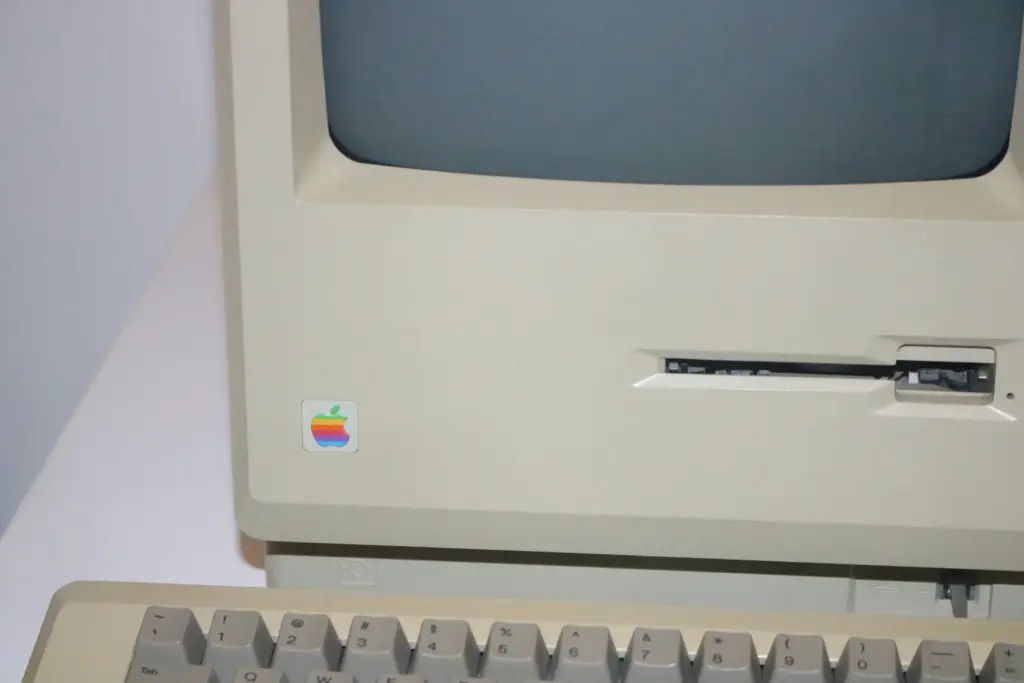
Excel was initially released only for Macintosh computers. However, its compatibility with Apple’s platform proved to be a game-changer in establishing its presence in the market. At that time, Mac users had limited options for spreadsheet software compared to PC users. The unprecedented level of functionality tailored specifically for Macintosh systems provided by Excel opened doors for professionals across various industries who relied on Macs for their computing needs but required robust spreadsheet capabilities. Apple’s early support helped solidify Excel’s reputation as a reliable and versatile tool among Mac and PC users. With version 1, Excel provided improved functionality, a user-friendly interface, and cross-platform compatibility, laying the foundation for its future success. This initial release set the stage for subsequent versions that would continue to push the boundaries of what a spreadsheet application could do.
When was Excel created: Evolution and Enhancements over the Years
Excel’s growing popularity in the late ’80s and early ’90s
During a time when spreadsheets were becoming an essential tool for businesses and individuals, Excel emerged as the leading program. Thanks to its user-friendly interface, people with varying levels of expertise could use it. As professionals realized how Excel could streamline their financial analysis, budgeting, project management, and data manipulation tasks, demand for the software soared. Accounting departments, for instance, embraced Excel’s capabilities for easily handling large datasets, allowing them to perform intricate calculations accurately.
Introduction of Visual Basic for Applications (VBA) programming language
When Excel for Windows was released, it brought along a new programming language called Visual Basic for Applications (VBA). This language transformed how users interacted with spreadsheets by allowing automation and customization capabilities. VBA enabled users to create macros, automate repetitive tasks, and build interactive forms and dialog boxes, which in turn increased productivity and efficiency within Excel. VBA was a powerful tool that catered to the requirements of both experienced programmers and novice users and extended Excel’s functionality to a great extent.
When was Excel created?: Excel Becomes a Powerhouse
In 1993, Microsoft released Excel ’93, which brought significant advancements in the software’s capabilities. One of the most notable additions was the Visual Basic Editor (VBE), allowing users to write and automate complex macros using Visual Basic for Applications (VBA). This powerful addition opened up endless possibilities for customizing Excel’s functionality and streamlining repetitive tasks.
Moreover, Excel ’93 introduced enhanced data analysis tools, enabling users to perform complex calculations and statistical analysis with ease. With these new tools in hand, Excel became an indispensable tool for professionals across industries.
Excel ’97: Revolutionizing data visualization with PivotTables

The release of Excel ’97 in 1997 was a game-changer in terms of data visualization and presentation. This version introduced PivotTables, which allowed users to analyze large amounts of data easily. PivotTables provided users with the ability to manipulate data dynamically by pivoting rows and columns and offered invaluable insights through various summarization techniques.
Another remarkable addition was Conditional Formatting – a tool that transformed how cells were formatted based on specific criteria or rules. With this enhancement, it became easier than ever before to highlight important trends or anomalies within datasets visually.
Excel XP/2002 & Excel ’03
The early 2000s witnessed further advancements in Excel’s functionality with releases like Excel XP/2002 and Excel ’03. These versions focused on improving user experience and workflow efficiency. Excel XP/2002 introduced Smart Tags – context-sensitive buttons that appeared when certain actions were performed within the spreadsheet – providing quick access to relevant information or actions related to the cell’s content.
Moreover, Excel ’03 brought XML file format support, allowing users to import and export data more seamlessly across different applications. These updates not only enhanced the user experience but also improved collaboration and compatibility with other software.
Conclusion: When was Excel created?
In conclusion, Microsoft Excel has evolved from its early roots in the 1960s to become an indispensable powerhouse in the world of spreadsheet software. Its journey from LANPAR and VisiCalc to the acquisition of Multiplan and the subsequent releases leading to Excel ’03, showcases a continuous commitment to innovation and meeting the evolving needs of users. The software’s impact on various industries, such as finance, marketing, engineering, and research, cannot be overstated.
To fully harness the capabilities of Microsoft Excel and stay abreast of the latest advancements, it is essential to engage in continuous learning. Max Training Technical courses offer a comprehensive platform for individuals to deepen their understanding of Excel’s functionalities, from basic operations to advanced data analysis and visualization techniques. Embrace the opportunity to enhance your Excel skills and unlock its full potential. Excel in your professional endeavors by enrolling in Max Training Technical Courses today. Your journey to becoming an Excel expert starts here!
Read More Articles From MaxTrain Technical Training

Selecting the right AI instructors
Resource Article · AI Training Selecting the right AI instructors How MAX Technical Training vets its instructors — and why that process changes everything about your learning experience. There has never been more AI [...]

New ITIL5 Explained for Certified Professionals
The new ITIL builds on everything professionals already value in ITIL, evolving the framework to reflect today’s digital, product-centric, and AI-enabled reality. Existing knowledge, experience, and certifications remain fully relevant as part of this evolution. [...]

Microsoft Copilot Prompt Guide
Unlocking Productivity with Copilot: A Prompt Library for Microsoft Tools As organizations begin to explore the transformative potential of Microsoft Copilot, one thing becomes clear: the quality of your prompts directly impacts the value you [...]

A Practical Guide to Implementing Microsoft Copilot in Your Organization
A Practical Guide to Implementing Microsoft Copilot in Your Organization Date: October 14, 2025 Author: Dustin Miller Microsoft Copilot is transforming how organizations work—but unlocking its full potential requires more than just turning it on. [...]

The Power of Copilot | Boost Productivity with AI
The Power of Copilot Date: October 8, 2025 Author: Dustin Miller 1. What Can Copilot Actually Do for You? Summary: Many professionals and organizations hear about AI tools like Copilot but aren't sure what they [...]

10 Reasons You Should Get ITIL Certified
By Lisa Schwartz, CEO ITSM Academy Published: August 21, 2025 Whether you’re just starting out in IT or you're looking to advance your career and make a bigger impact in your organization, ITIL certification [...]